Work Hours
Monday to Friday: 9AM - 6PM
Weekend: Closed


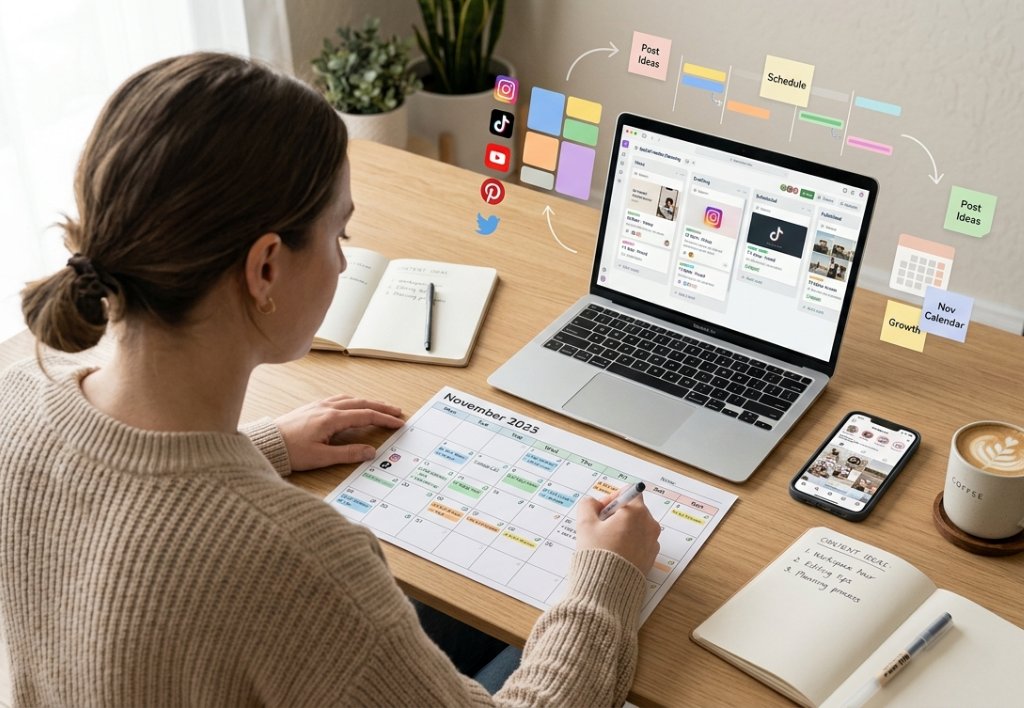
The single biggest reason small businesses fail at social media strategy consistency is not a lack of ideas or skills — it’s the daily friction of figuring out what to post. When you leave content creation to the last minute, quality suffers, posting becomes sporadic, and the whole thing eventually gets abandoned. Content batching solves this problem entirely. By dedicating one focused day each month to creating all your social media content in advance, you can maintain a consistent, high-quality presence without the daily mental overhead. Here’s exactly how to do it.
Why Content Batching Works Better Than Daily Posting
The creative brain works best when it’s in a single mode — ideating, writing, designing, or reviewing. When you switch between these modes every day, you lose significant time and energy to context-switching. Content batching allows you to spend your ideation session generating 20 to 30 ideas at once, your writing session drafting all your captions in one flow state, and your design session creating all your visuals in one efficient block. The result is higher-quality content created in less total time.
The Day Before: Planning Your Content Month
Before your batching day, spend 30 minutes building your content plan. Map out your content pillars and decide how many posts each pillar will receive for the month. Plan around key dates — industry events, seasonal hooks, product launches, or promotions. Identify the content mix you’ll use — aim for educational posts, social proof posts, engagement posts, and occasional promotional content. Write out 30 post titles or concepts before the batching day so you walk in knowing exactly what you’re creating.
Hour 1–2: Idea Expansion and Caption Writing
Start your batching day by expanding your 30 post titles into full captions. Write them all in one session. Keep a document open with your brand voice guide so your captions stay consistent in tone. For each post, write the hook (the first line that stops the scroll), the body content (the value-providing middle section), and the call to action (what you want readers to do next). Don’t perfect them yet — just get the drafts written. You can refine later. Aim to complete all 30 caption drafts in this two-hour block.
Hour 3–4: Visual Creation in Canva or Your Design Tool
With your captions written, move into your design session. If you use Canva, create a set of brand templates at the start of the month and simply swap out the text and images for each post. This is the single biggest time-saver in the entire batching process. Branded templates ensure visual consistency while reducing design time from 20 minutes per post to 3 to 5 minutes. Create all your static images, carousel slides, and quote graphics in one session. If you’re creating Reels or video content, batch-film these in a separate afternoon session.
Hour 5: Review, Refinement, and Hashtag Research
Go back through all 30 captions and visuals with fresh eyes. Polish any awkward phrasing, check that each post has a clear CTA, and ensure your content mix is balanced. Research and save hashtag sets for each platform. On Instagram, prepare a set of 5 to 10 targeted hashtags per post. On LinkedIn, 3 to 5 relevant hashtags per post is optimal. Save these in a notes document alongside each caption for easy copying during scheduling.
Hour 6: Scheduling Everything in Advance
Use a scheduling tool — Buffer, Later, Hootsuite, or Meta Business Suite — to upload and schedule all 30 pieces of content at once. Choose optimal posting times based on your platform analytics (when your audience is most active). Stagger your posts appropriately — once daily or every other day, depending on the platform. Once scheduled, your social media strategy is set for the entire month. You can now spend your daily social media time engaging with comments and building community rather than scrambling to create content.
Maintaining Authenticity With Batch-Created Content
A common concern about batching is that scheduled content feels less authentic. The solution is to reserve 20% of your social media presence for real-time, in-the-moment content — a quick story about something that happened this week, a spontaneous response to an industry news event, or a behind-the-scenes clip from a recent client meeting. This combination of pre-planned strategic content and spontaneous real-time content gives you the best of both worlds: consistency and authenticity.
Too busy to batch your own content? Segnant’s social media team creates, designs, and schedules your content every month so you can focus on running your business. Schedule a free consultation to get started.