Work Hours
Monday to Friday: 9AM - 6PM
Weekend: Closed



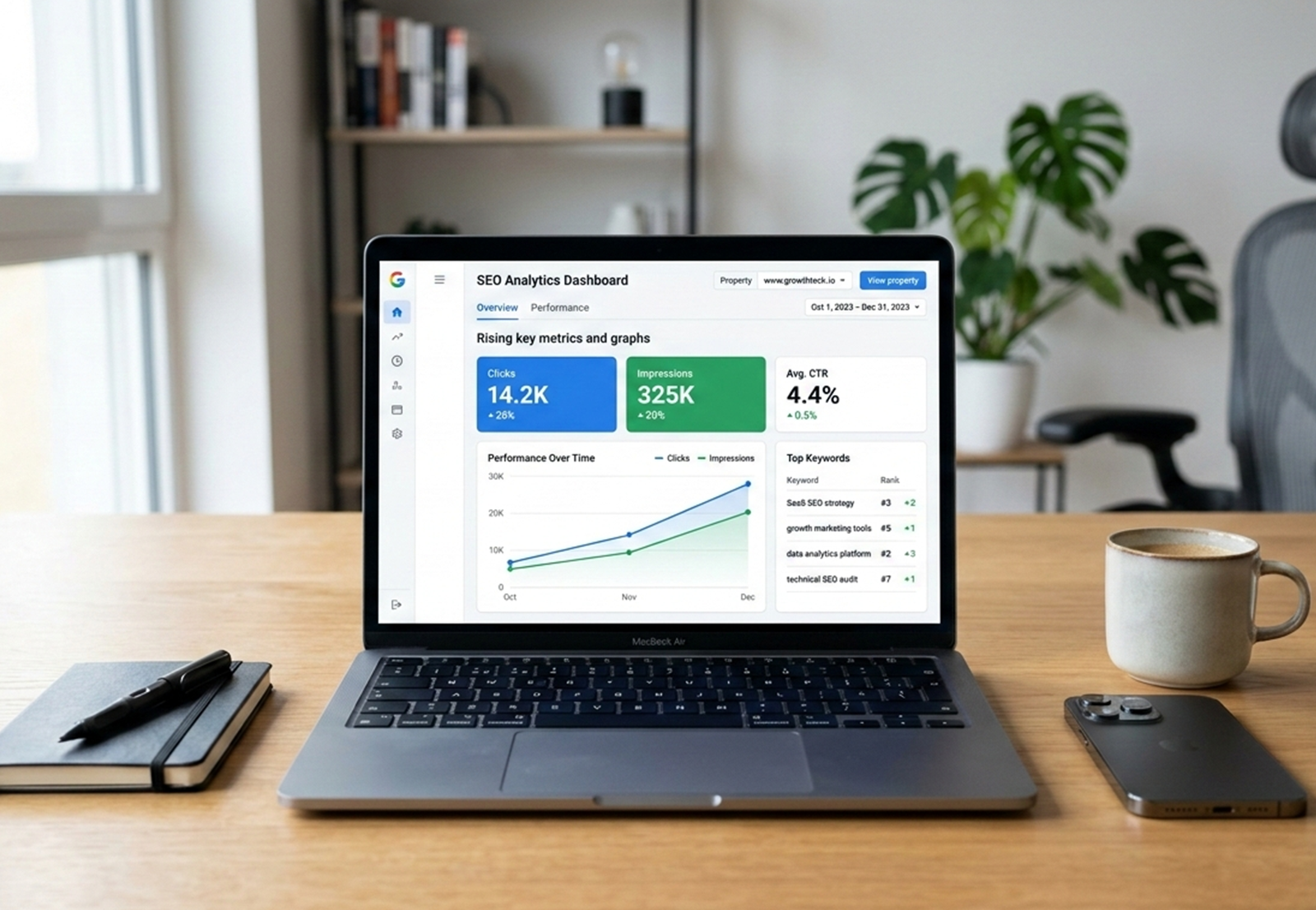
If your website isn’t getting the traffic it deserves, the problem might not be your content—it could be your SEO strategy. That’s where Google Search Console (GSC) becomes essential.
This powerful, free tool from Google helps you understand how your website performs in search results, identify issues that affect visibility, and uncover opportunities to improve rankings. Yet, many businesses only scratch the surface of what it can do.
In this blog, you’ll learn how to use GSC effectively—from tracking search performance to fixing indexing issues and improving user experience. Whether you’re managing a small business website or scaling a large platform, mastering GSC can significantly improve your organic traffic.
What is Google Search Console & Why It Matters
Google Search Console is a web-based tool that allows you to monitor, maintain, and troubleshoot your website’s presence in Google Search results. Unlike analytics platforms that focus on user behavior, GSC provides insights directly from search data.
For businesses aiming to grow online, this tool is invaluable. It helps you:
Discover which keywords bring users to your site
Identify pages that need optimization
Detect technical issues affecting rankings
Improve your website’s overall search performance
One of the biggest advantages of GSC is that it provides real data from Google itself. This means your SEO decisions are based on accurate insights rather than assumptions.
Businesses that regularly analyze GSC data often see faster improvements because they can make informed, data-driven changes.
Setting Up Google Search Console
Getting started with GSC is simple, but setting it up correctly ensures accurate data.
1. Add Your Website Property – You can choose between:
Domain Property (recommended for complete data coverage)
URL Prefix Property (specific to a URL version)
2. Verify Ownership – Verification methods include:
DNS record (most reliable)
HTML file upload
Google Tag Manager
3. Submit Your Sitemap – Submitting your sitemap helps Google understand your website structure and index your pages more efficiently. You can add it in the “Sitemaps” section within GSC.
Pro Tip: Always ensure your sitemap is updated whenever you add new pages or blogs.
Understanding the GSC Dashboard
The GSC interface may seem overwhelming at first, but it’s organized into key sections that serve specific purposes:
Performance: Tracks how your site appears in search
URL Inspection: Checks indexing status of individual pages
Indexing: Shows which pages are indexed or excluded
Experience & Enhancements: Highlights user experience and technical improvements
Instead of trying to analyze everything at once, focus on reports that directly impact traffic and rankings.
Search Performance Report: Your SEO Goldmine
The Performance report is where most of your SEO insights come from.
Key Metrics to Monitor
Clicks: Number of visits from search
Impressions: How often your site appears in search
CTR (Click-Through Rate): Percentage of clicks per impression
Average Position: Your ranking for specific keywords
How to Use This Data
Identify High-Performing Keywords – Find keywords already bringing traffic and optimize those pages further.
Improve Low CTR Pages – If a page has high impressions but low CTR, it’s a sign your title or meta description needs improvement.
Optimize for Better Rankings – Look for keywords ranking on page 2 and enhance content to push them to page 1.
This is where GSC become practical. Instead of guessing, you’re optimizing based on real performance data.
URL Inspection Tool: Fix Indexing Issues Quickly
The URL Inspection tool allows you to check whether a page is indexed and visible in search results.
How to Use It
Enter a URL into the tool
Check indexing status
Request indexing after updates
Common Issues You May Find
Page not indexed
Crawl errors
Canonical mismatches
If you’ve recently updated a page or published new content, using this tool ensures Google recognizes the changes quickly.
Indexing Report: Understanding Coverage
The Indexing report gives you a clear picture of how many pages are successfully indexed and which ones are not.
Key Sections
Indexed Pages: Pages visible in search
Excluded Pages: Pages with issues
Common Indexing Problems
Crawled but not indexed
Discovered but not indexed
Duplicate content
How to Fix These Issues
Improve content quality and relevance
Add internal links to important pages
Ensure proper canonical tags
Resubmit your sitemap
A strong indexing strategy is essential if you want to improve SEO with Google Search Console effectively.
Experience & Core Web Vitals
User experience is now a ranking factor, and GSC helps you monitor it through Core Web Vitals.
Key Metrics
LCP (Largest Contentful Paint): Loading speed
CLS (Cumulative Layout Shift): Visual stability
INP (Interaction to Next Paint): Responsiveness
Why It Matters
A slow or unstable website can hurt both rankings and conversions.
How to Improve
Optimize images
Use faster hosting
Minimize unnecessary scripts
Improving these metrics ensures your site meets both user expectations and search engine standards.
Enhancements Report: Unlock Extra Visibility
The Enhancements section highlights opportunities to improve how your site appears in search results.
What It Includes
Structured data (schema markup)
Mobile usability
Breadcrumbs
Fixing these issues can help your pages appear as rich results, improving visibility and click-through rates.
Common Mistakes to Avoid
Even with a powerful tool like GSC, mistakes can limit your results:
Ignoring pages with low CTR
Not checking indexing issues regularly
Overlooking mobile usability problems
Focusing only on rankings instead of traffic and conversions
Not using filters for deeper insights
Avoiding these mistakes ensures you get the most out of your Google Search Console strategy.
Pro Tips to Use GSC Like an SEO Expert
To truly master GSC, follow these advanced practices:
Analyze performance data weekly
Focus on search intent behind keywords
Combine GSC data with other SEO tools
Continuously update and optimize content
Build internal links based on top-performing pages
These strategies will help you fully understand how to use Google Search Console for long-term growth.
Conclusion
Google Search Console is more than just a reporting tool—it’s a powerful platform that helps you uncover opportunities, fix issues, and grow your website’s visibility.
By understanding search performance, resolving indexing problems, and improving user experience, you can turn your website into a consistent source of organic traffic.
If you’re looking to go beyond basic insights and implement a results-driven SEO strategy, expert guidance can make all the difference.
Segnant can help you turn data into growth. From technical SEO improvements to full-scale seo optimization, our team ensures your website performs at its best and drives measurable results.